 dd7255a9d2
|
||
|---|---|---|
| .github/ISSUE_TEMPLATE | ||
| csdr | ||
| debian | ||
| docker | ||
| htdocs | ||
| inkscape files | ||
| owrx | ||
| systemd | ||
| test | ||
| .dockerignore | ||
| .gitignore | ||
| CHANGELOG.md | ||
| LICENSE.txt | ||
| README.md | ||
| bands.json | ||
| config_webrx.py | ||
| docker.sh | ||
| openwebrx.conf | ||
| openwebrx.py | ||
| setup.py | ||
README.md
OpenWebRX
OpenWebRX is a multi-user SDR receiver software with a web interface.
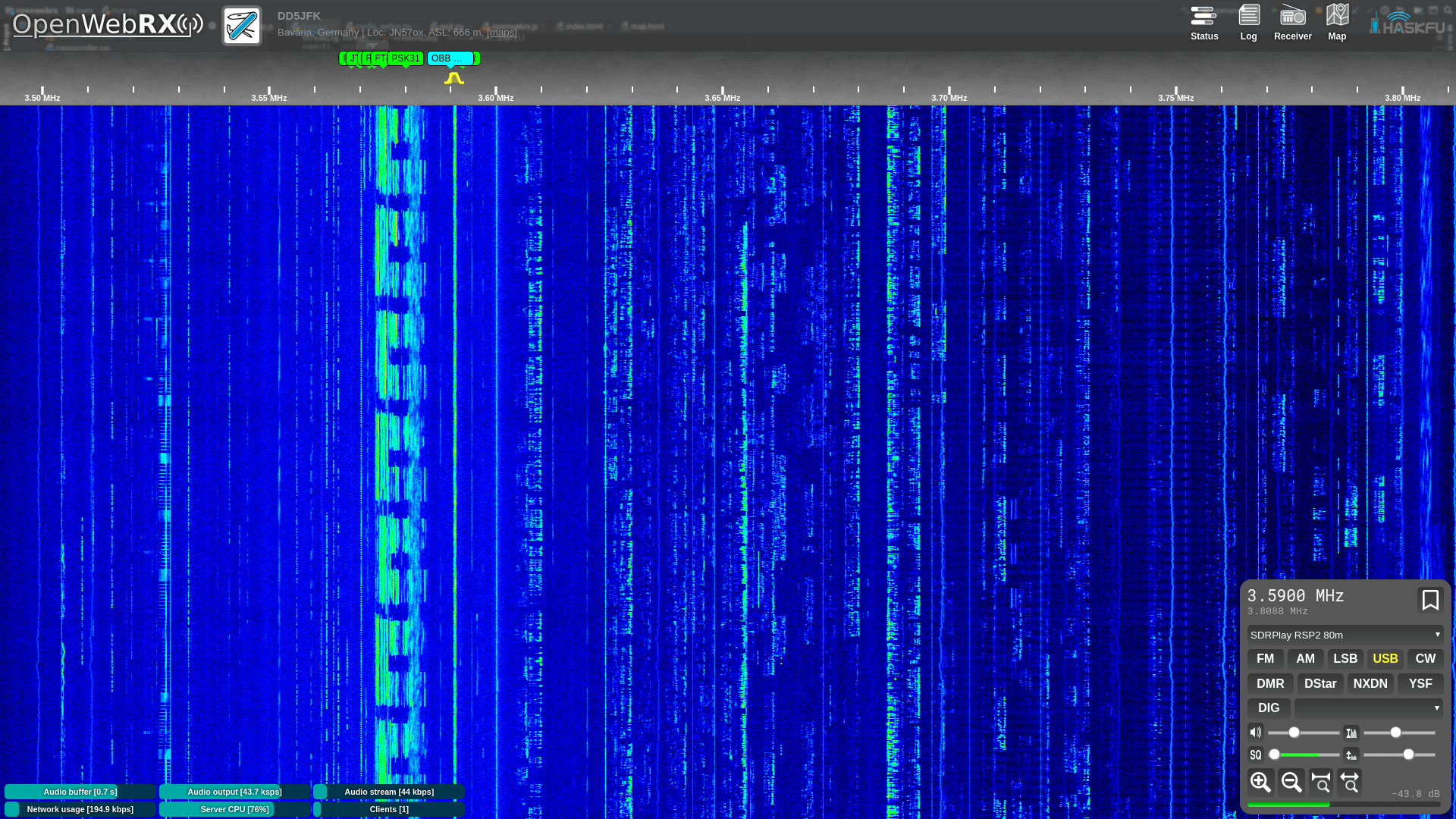
It has the following features:
- csdr based demodulators (AM/FM/SSB/CW/BPSK31/BPSK63)
- filter passband can be set from GUI
- it extensively uses HTML5 features like WebSocket, Web Audio API, and Canvas
- it works in Google Chrome, Chromium and Mozilla Firefox
- supports a wide range of SDR hardware
- Multiple SDR devices can be used simultaneously
- digiham based demodularors (DMR, YSF, Pocsag, D-Star, NXDN)
- wsjt-x based demodulators (FT8, FT4, WSPR, JT65, JT9, FST4, FST4W)
- direwolf based demodulation of APRS packets
- JS8Call support
- DRM support
- FreeDV support
- M17 support based on m17-cxx-demod
Setup
The following methods of setting up a receiver are currently available:
- Raspberry Pi SD card images
- Debian repository
- Docker images
- Manual installation
Please checkout the setup guide on the wiki for more details on the respective methods.
Community
If you have trouble setting up or configuring your receiver, you have some great idea you want to see implemented, or you just generally want to have some OpenWebRX-related chat, come visit us over on our groups.io group.
If you want to hang out, chat, or get in touch directly with the developers, receiver operators or users, feel free to drop by in our Discord server.
Usage tips
You can zoom the waterfall display by the mouse wheel. You can also drag the waterfall to pan across it.
The filter envelope can be dragged at its ends and moved around to set the passband.
However, if you hold down the shift key, you can drag the center line (BFO) or the whole passband (PBS).
Licensing
OpenWebRX is available under Affero GPL v3 license (summary).
OpenWebRX is also available under a commercial license on request. Please contact me at the address <randras@sdr.hu> for licensing options.